
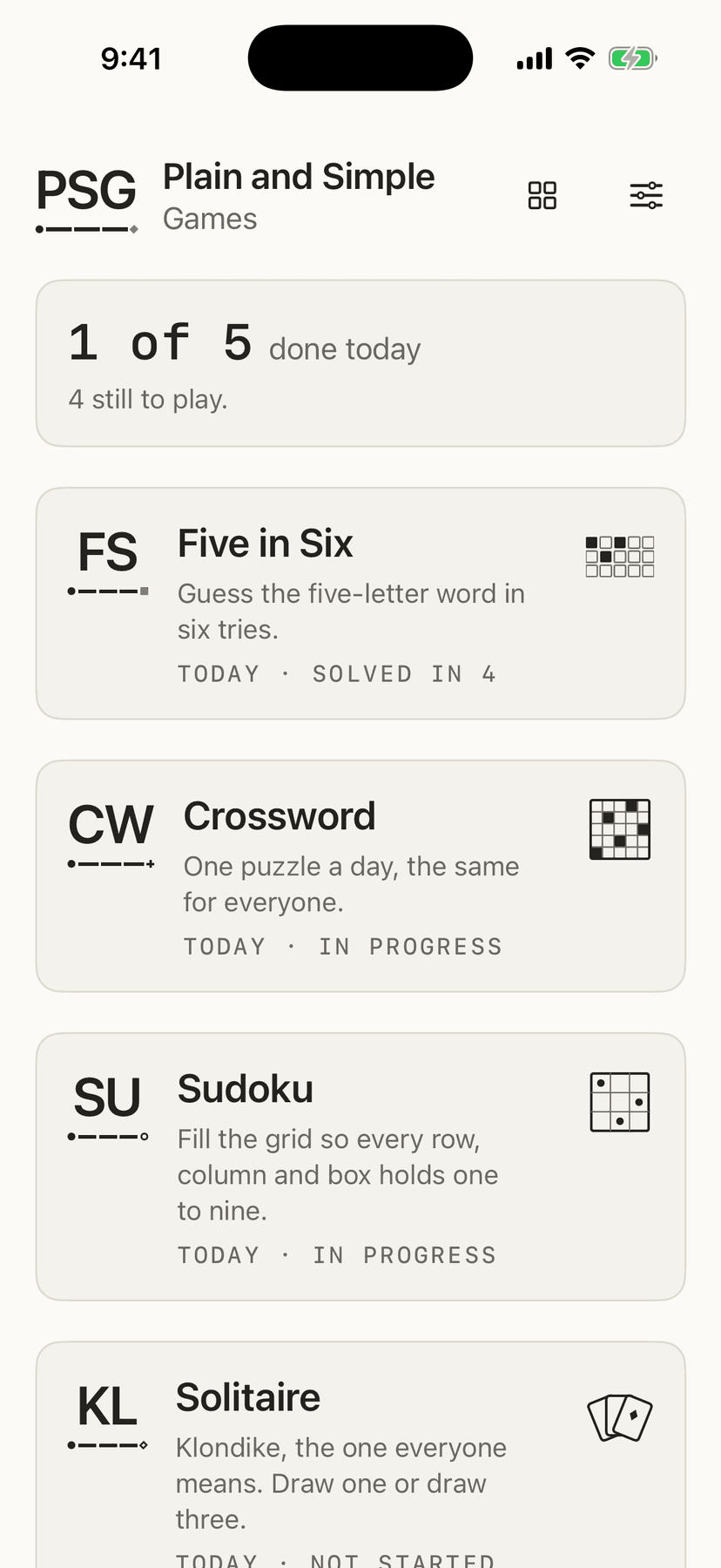
- 30+ games — sudoku, solitaire, chess, mahjong, minesweeper, stack, three arcade games and more.
- No advert between hands, no lives to wait for, and nothing to buy at any point.
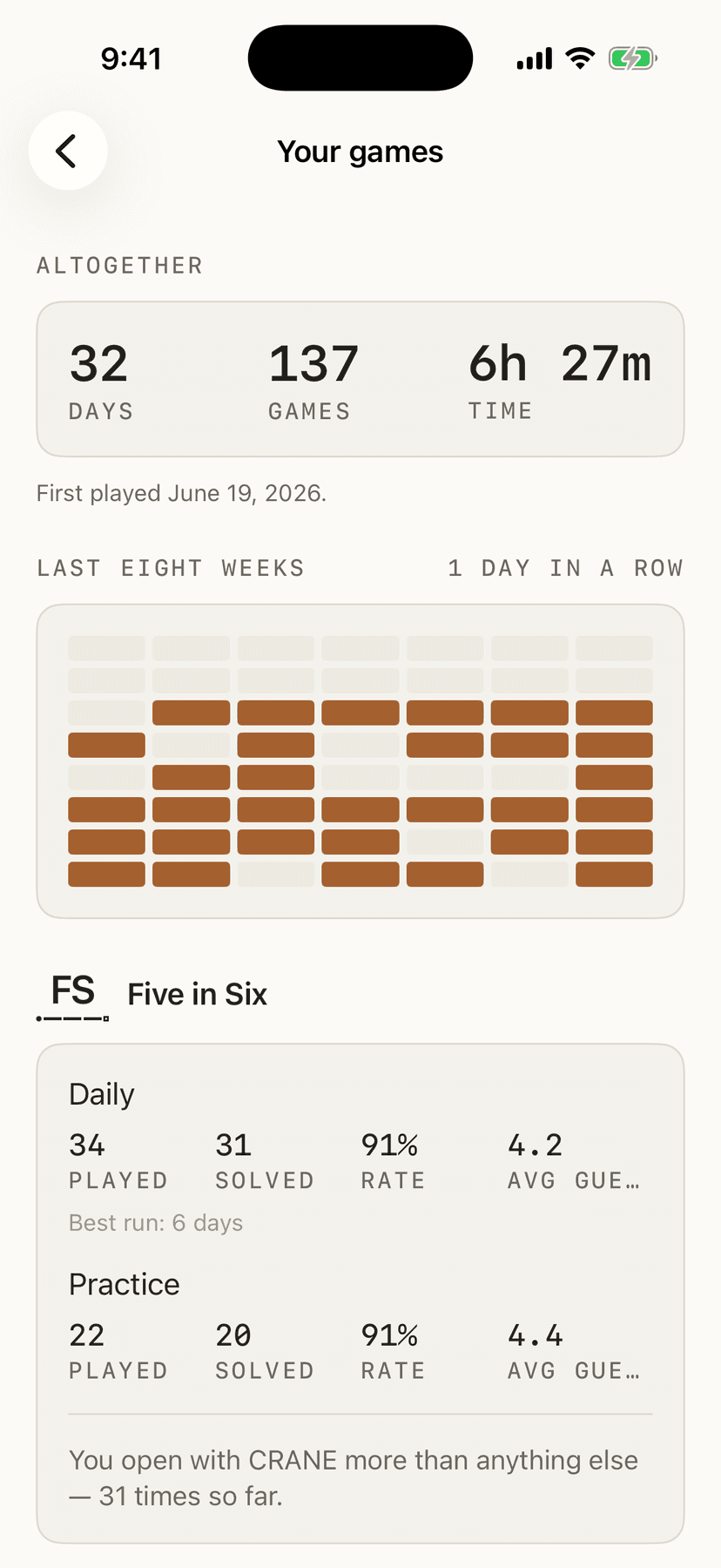
- Streaks, best times and a calendar of the days you played, kept in your own iCloud and nowhere else.
Everything it does
Nothing here
no account · no server · no one in between
Nothing here
no account · no server · no one in between
Who this is for
For anyone who wants a quiet game — a sudoku on the sofa, a hand of solitaire, one word a day — and is tired of an advert between every puzzle and a shop selling hints. It needs nothing but an iPhone or iPad, and it is free.
30+ games share the shelf, and you are not expected to want all of them. Any you don't play can be switched off in Settings, which takes the card off the home screen without touching a single stat.
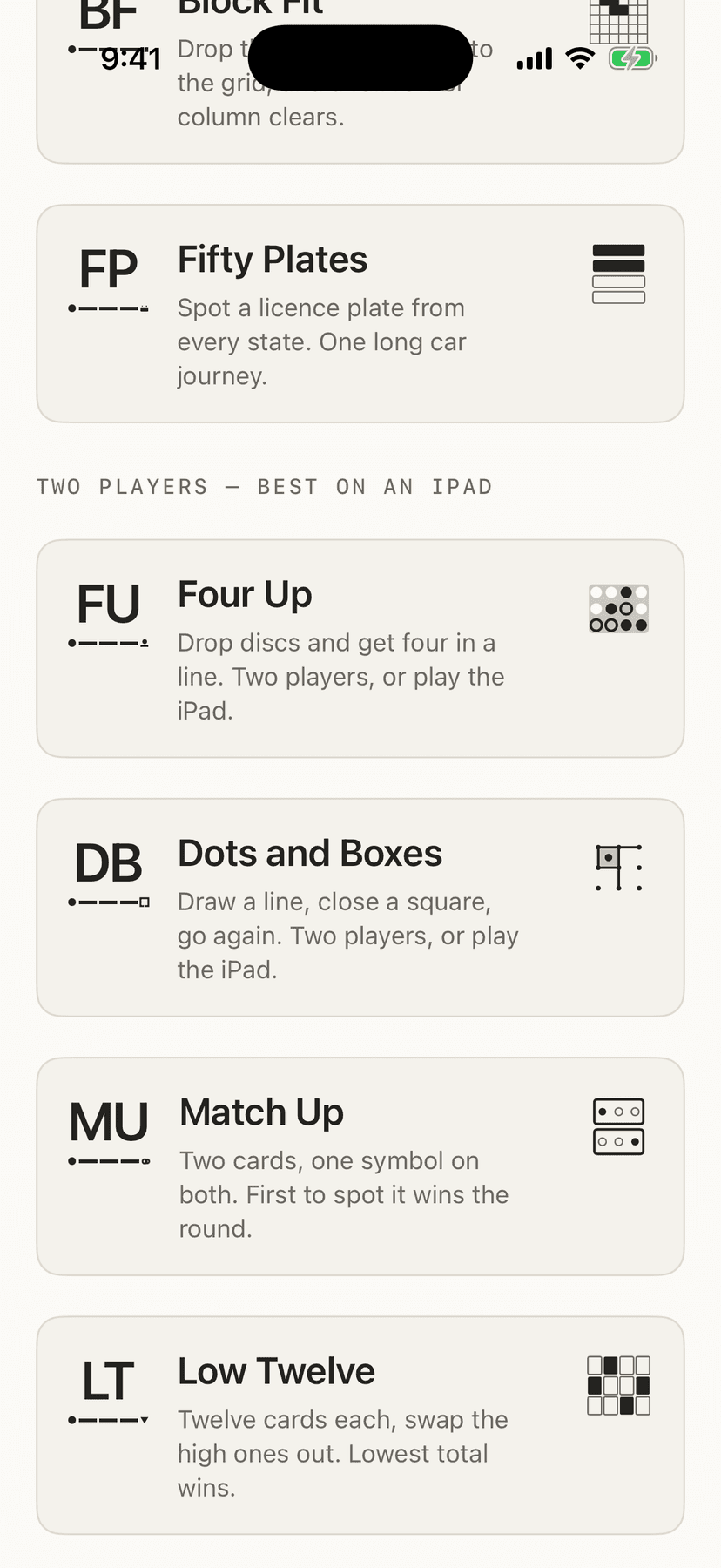
Several are for two people at one iPad — Four Up, Dots and Boxes, Match Up, Low Twelve, Navigating the USA, Cross Off and Three Streets — sitting under their own heading on the shelf. Four Up, Dots and Boxes, Low Twelve and Cross Off will play you when there is nobody else about, and Three Streets gives you a score to beat instead; Match Up and Navigating the USA need two people, and deliberately always will. What is absent is the other kind of competition: no leaderboards, no achievements, no friends list, and no daily challenge against strangers. Not features waiting to be built — they are absent on purpose, because none of them is what this is for.
How to set it up
- 01Download it from the App Store and open it. There is nothing to buy, no account to create, and nothing to download after the app itself — every puzzle is made on your own device.
- 02Pick a game off the shelf. The 30+ games are Sudoku, Solitaire, Free Cell, Spider, Mahjong, American Mahjong, Minesweeper, Crossword, Word Search, Five in Six, Bridges, Loop, Cross Sums, Five Dice, Colour Sort, Parking Lot, Nonogram, Connect, 2048, Block Fit, Echo, Twin, Span, Places, Stack, Depot, Pin Tray, Four Up, Dots and Boxes, Match Up, Low Twelve, Navigating the USA, Cross Off, Three Streets, Chess, Paddle, Star Guard, Noodle, and Fifty Plates. All of them play immediately, with no signal needed. A magnifier on the shelf narrows it to the games whose names match what you type, and a button beside it orders the shelf Curated, Recent, Most played or A–Z; no counts or ranks are shown.
- 03Free Cell, Spider, Loop, Cross Sums, Echo, Twin and Span sit on that same shelf — not a second app, and not a shop. Four Up, Dots and Boxes, Match Up, Low Twelve, Navigating the USA, Cross Off and Three Streets are for two people at one iPad. Four Up, Dots and Boxes, Low Twelve and Chess can also be played with one person on each of two iPhones or iPads in the same room (iOS 26 or later): one hosts and reads out four digits, the other types them in. No account, and nothing goes to the internet.
- 04Your stats and half-finished boards follow you to your iPad on their own, through your own iCloud — there is nothing to switch on in the app, and no account to make. If a device is signed in to iCloud, its games travel; if it isn't, everything still works and stays there. Settings tells you which of the two you're looking at.
- 05Signing in with Apple is optional and separate. It does exactly one thing: notices that a different person has picked up a device that already holds someone's games, so nobody walks into someone else's history. Every game and every feature works signed out.
- 06Change what doesn't suit you in Settings — the clock, mistake highlighting, automatic pencil marks, draw-three solitaire, hard mode in the word game, and vibration are all switches.
What it does
- Sudoku, with difficulties that mean something
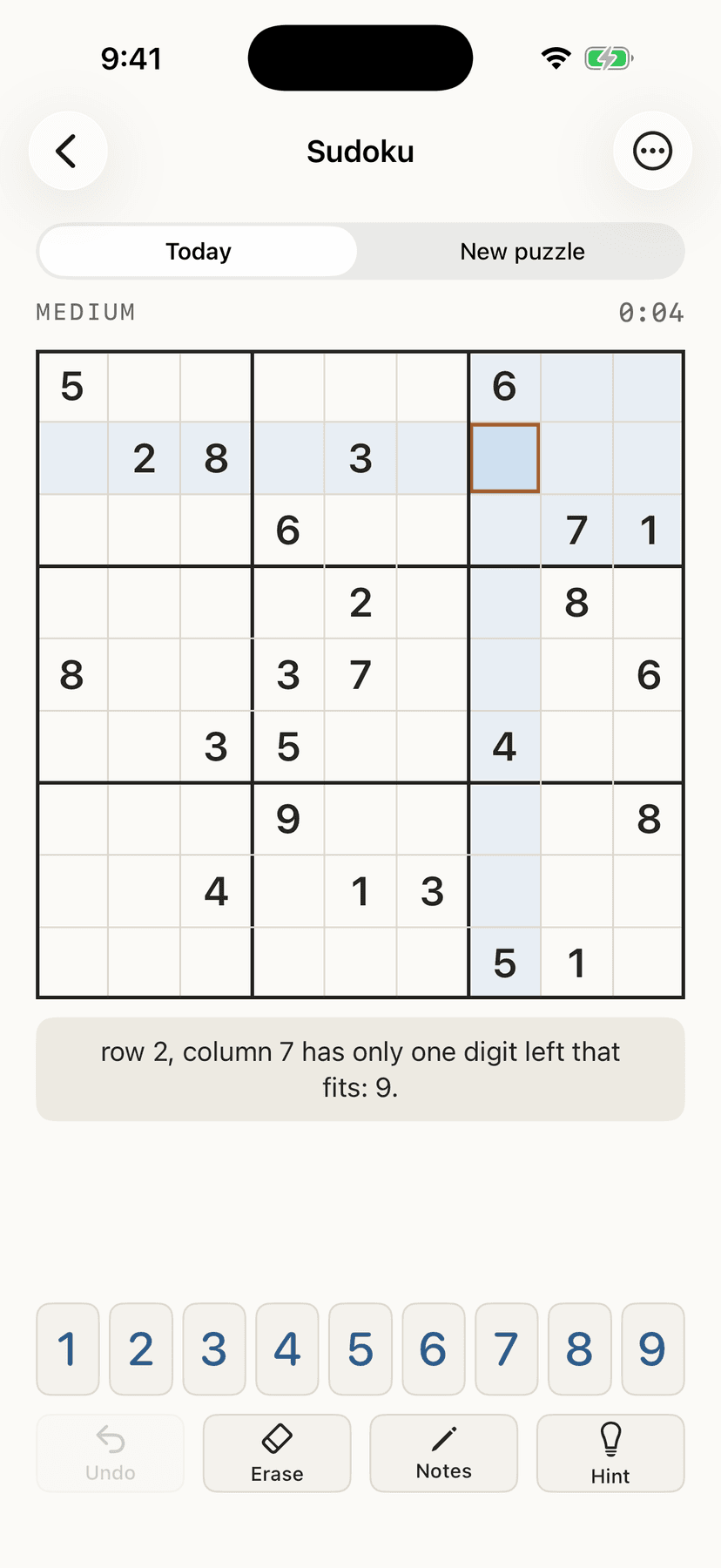
- Sudoku, generated on your device in four difficulties that mean something. Most free sudoku apps decide “hard” by counting how many numbers they hand you at the start, which is close to meaningless; this one solves each puzzle the way a person would, technique by technique, and labels it by how much work that actually took. When you are stuck, the hint explains the next step in plain English — “in the top-left box, 7 can only go in one square” — and only fills the square in if you ask a second time.
- Five in Six
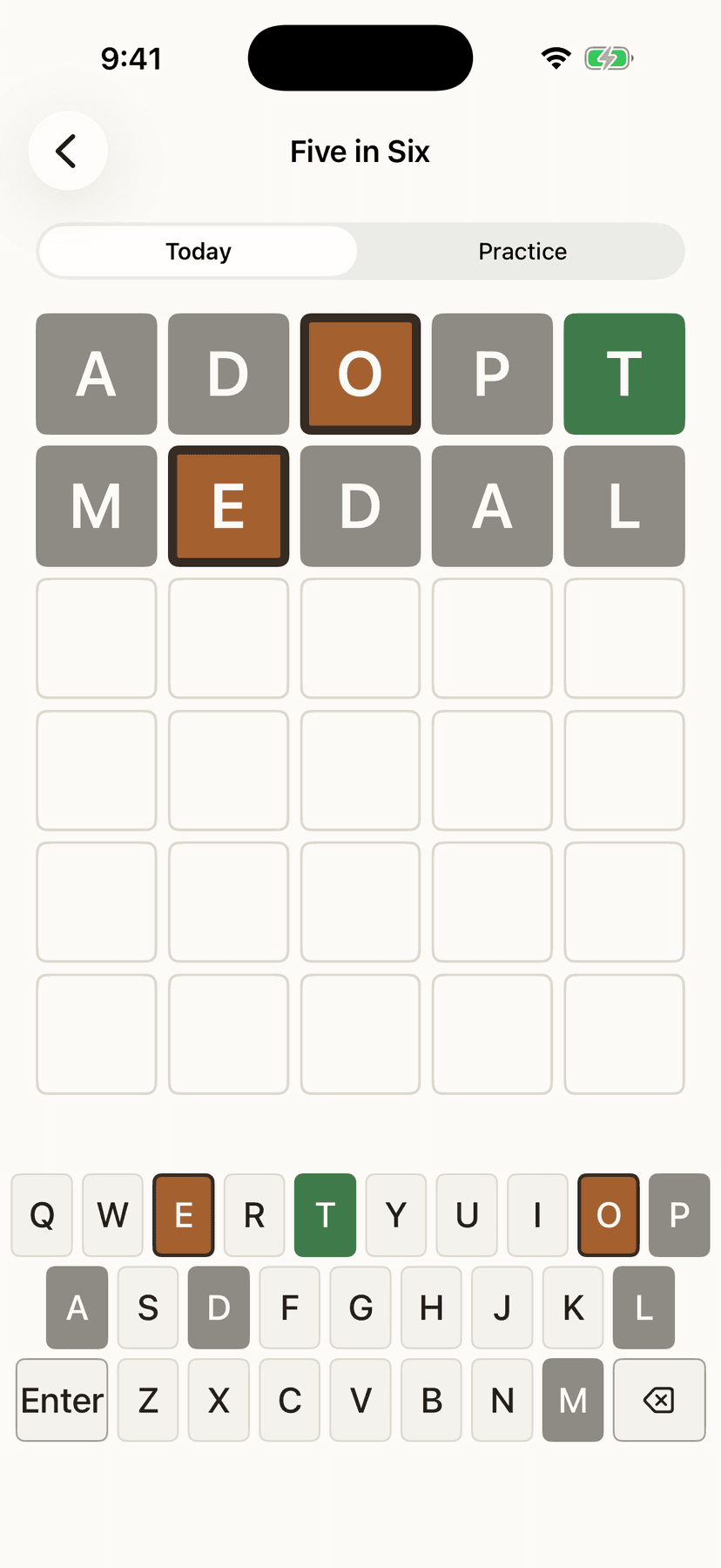
- Five in Six: guess a five-letter word in six tries. Everyone gets the same word each day, worked out from the date on your own device rather than fetched from a server, so it works with no signal at all. The tiles use shape as well as color, which means the board reads correctly if you can't tell green from yellow — there is no color-blind mode to go and find, because there is nothing to switch on. Unlimited practice rounds when one word a day isn't enough.
- Klondike solitaire
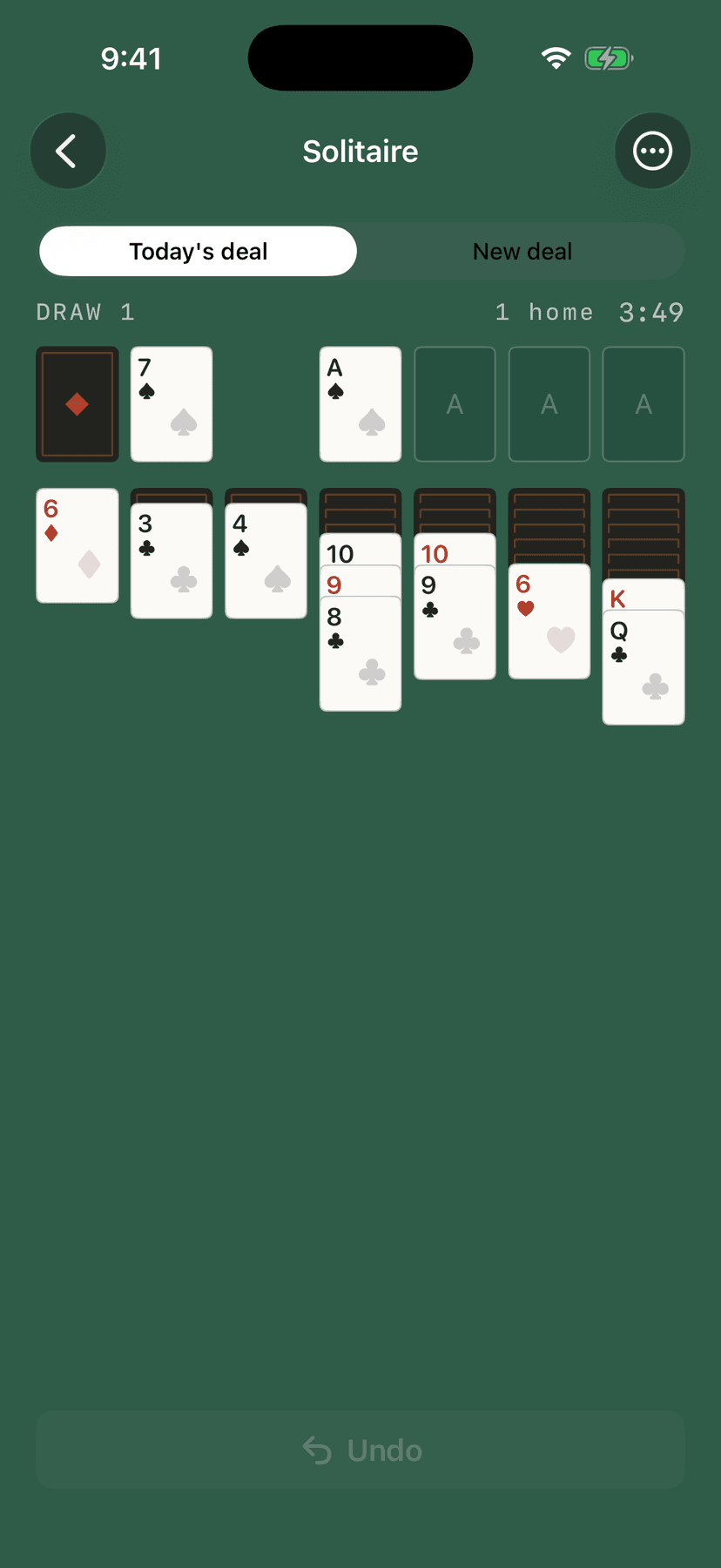
- Klondike solitaire, draw one or draw three, with unlimited undo, a tap that sends a card home if it can go, and an honest “no moves left” that appears only when the deal genuinely is out.
- A five-by-five crossword a day
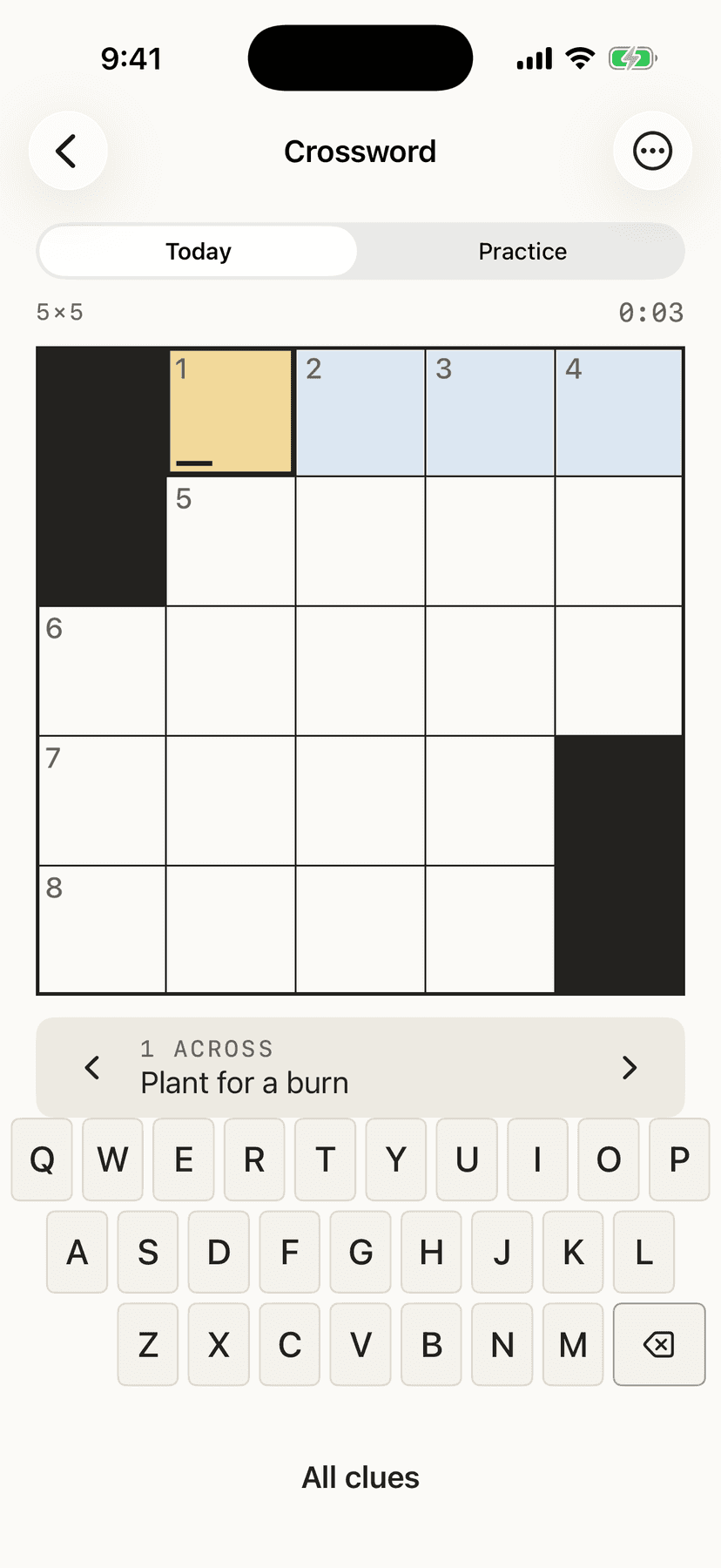
- A five-by-five crossword, one a day, the same one for everyone. The clues are written by hand rather than generated, because the clues are what makes a crossword good — two hundred of them ship inside the app.
- Five Dice
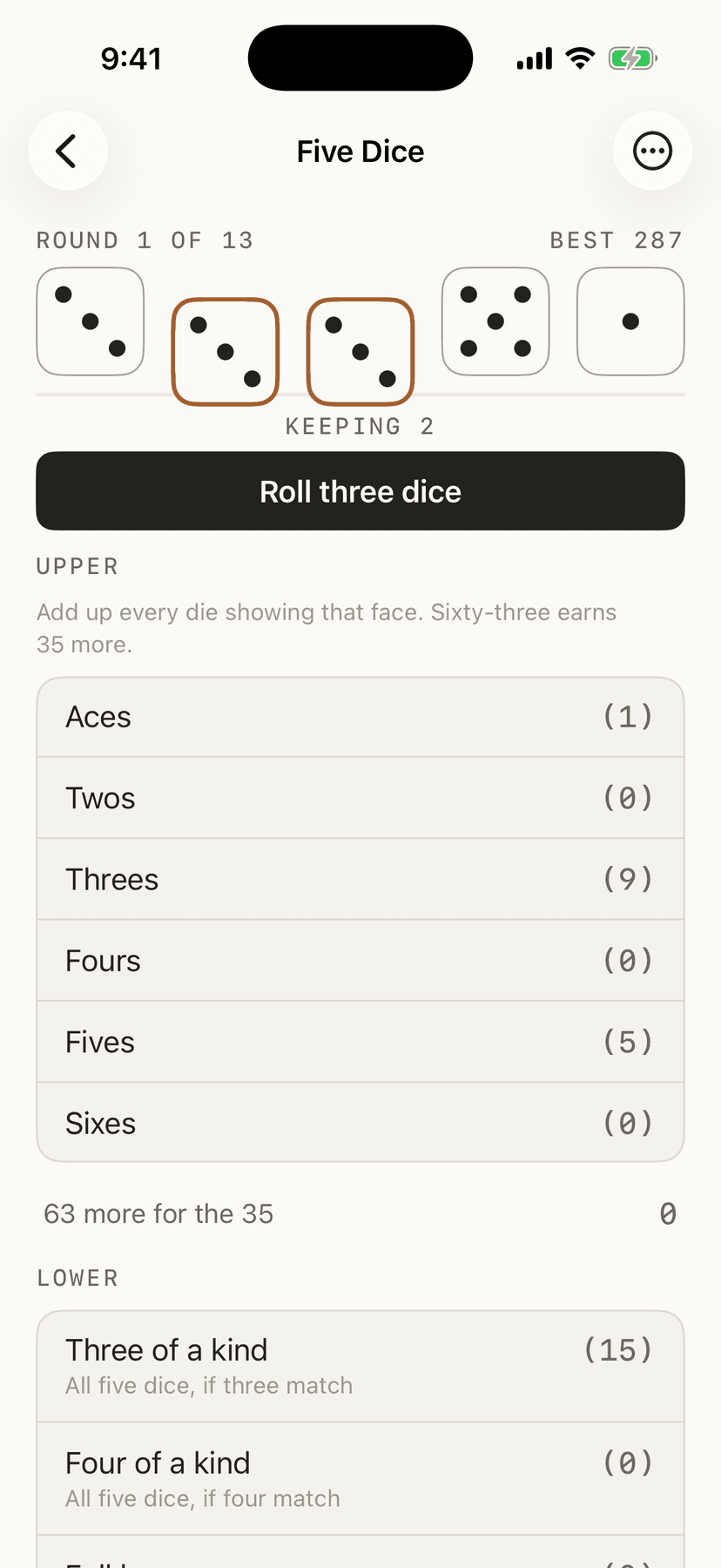
- Five Dice: five dice, three throws a round, thirteen boxes to fill. At the end of a round the throw has to go somewhere, including a zero into a box you were saving when nothing has gone your way. That is the game, which is why there is no undo.
- Colour Sort
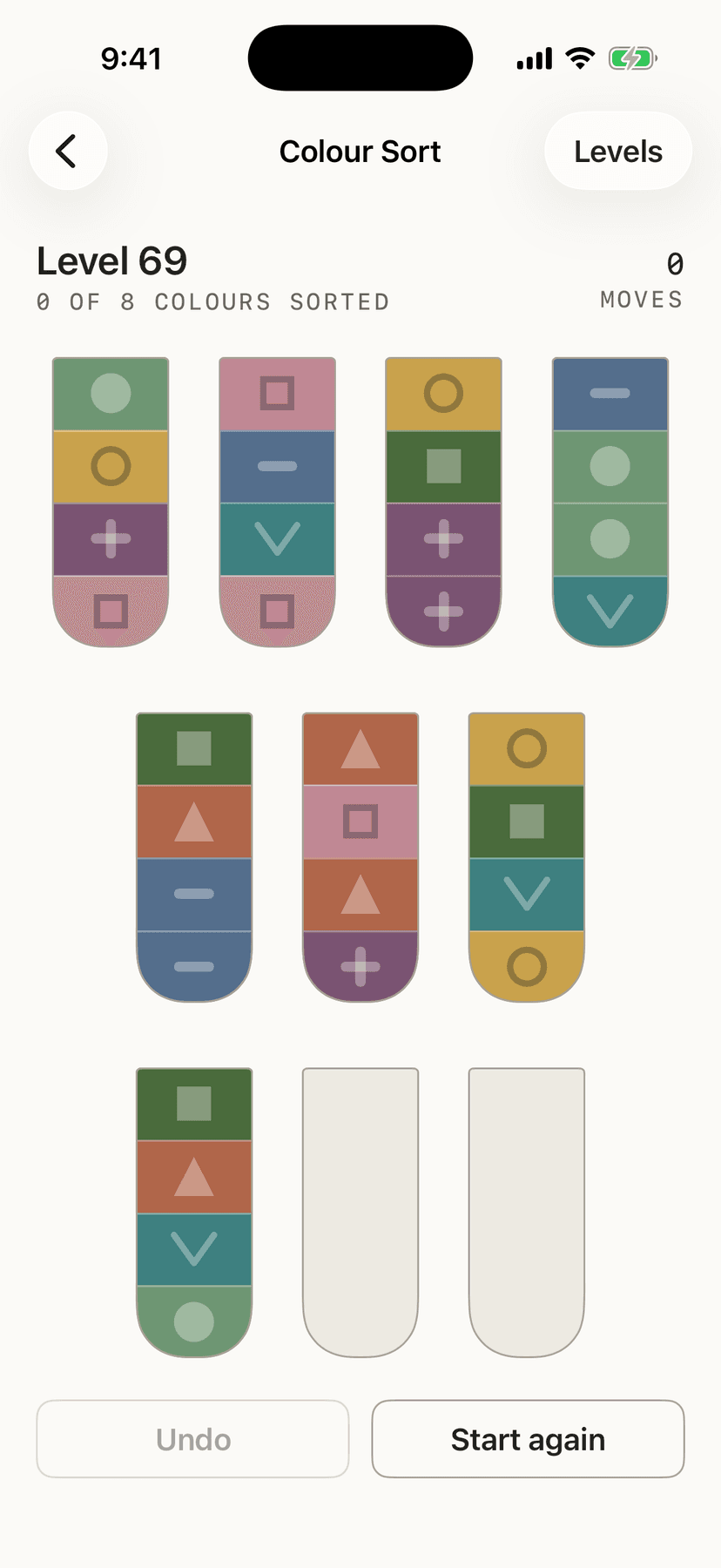
- Colour Sort: pour the colors between tubes until each holds one. Four hundred and eighty levels, dealt on your device from the level number, so level 47 is the same board on every phone, and an iPad-only ladder of bigger boards besides. A pour moves the whole run of matching color rather than one band at a time, and a board with nothing left to do says so rather than leaving you tapping at it.
- Parking Lot
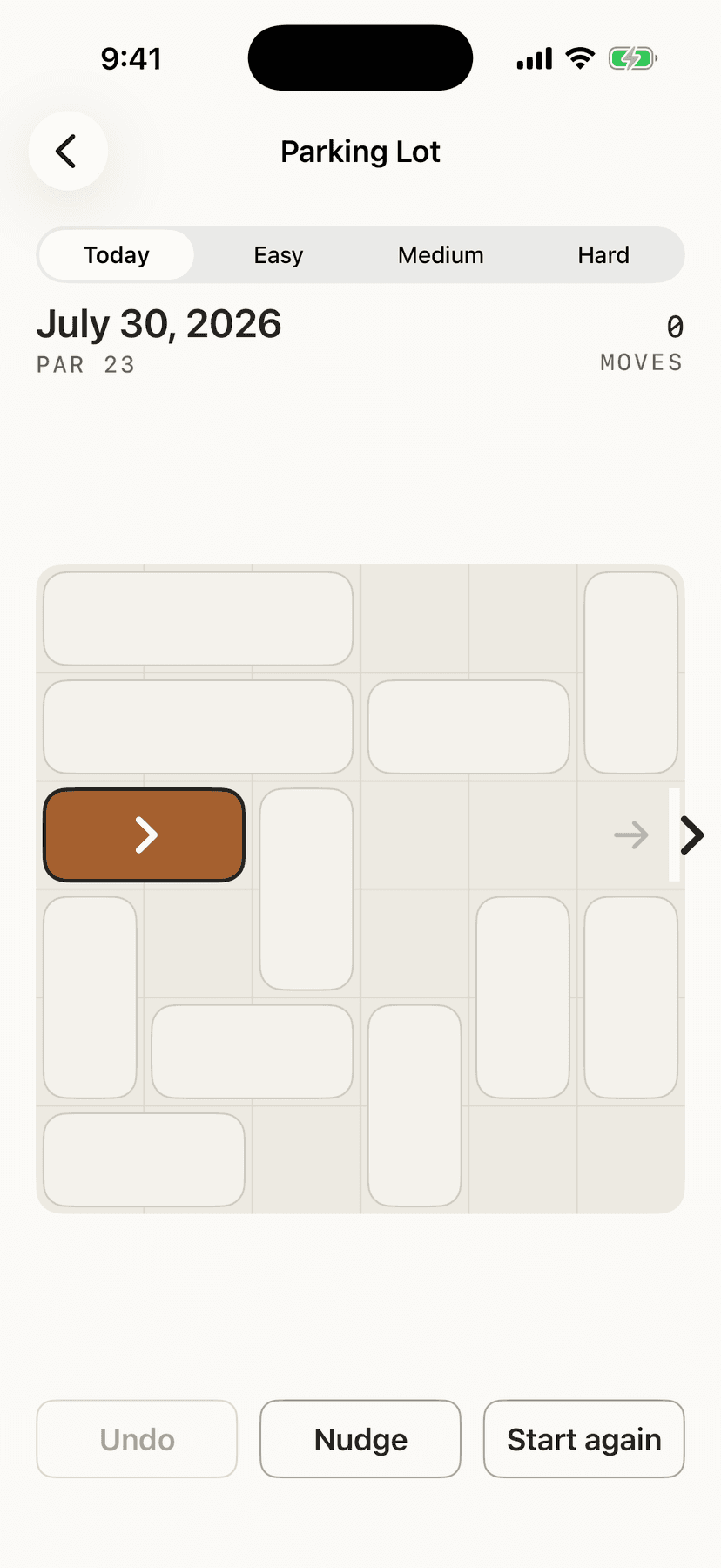
- Parking Lot: every car slides only along its own lane, and yours has to reach the gap. One lot a day, scored against par — the true fewest moves, worked out in advance and checked by two independent solvers, rather than the best score somebody happened to manage. Practice comes in easy, medium and hard, sorted by that same par.
- Nonogram
- Nonogram: the numbers beside each row and column say how long the runs of filled squares are; work out which, and a picture appears. Forty-six pictures, drawn by hand rather than generated, because the picture at the end is the whole point of the puzzle. Every one is checked to be solvable by reasoning alone — a nonogram that needs a lucky guess is not a logic puzzle, and you would have no way of telling from the inside.
- Connect
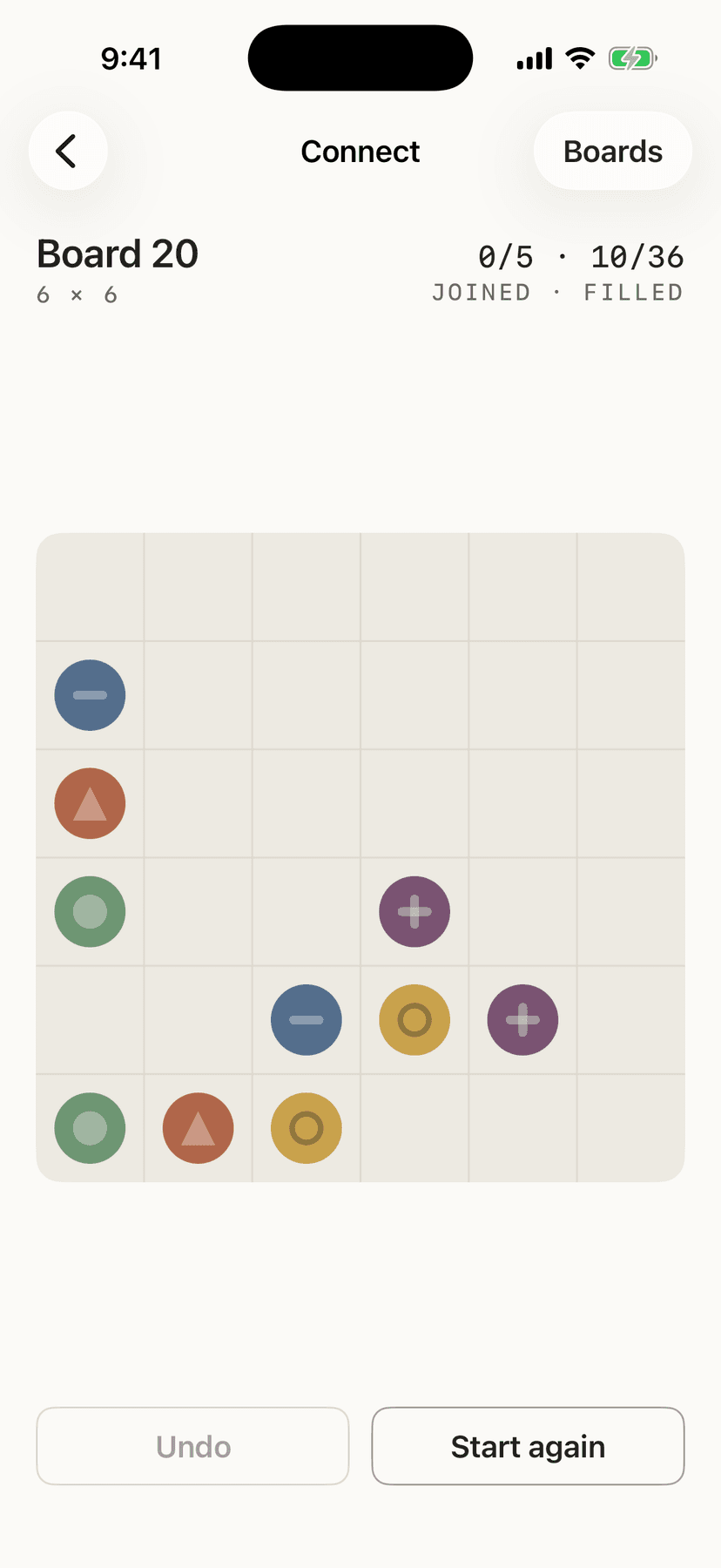
- Connect: join each pair of colored dots, and cover every square while you do it. That second half is what makes it a puzzle rather than a doodle — it forces the routes to work around each other. Ninety-six boards, each built backwards from a finished one, so every board has an answer.
- 2048
- 2048: slide the tiles together, and two of a number make the next one up. It ends when nothing moves in any direction, and the board says so rather than leaving you swiping at a wall wondering whether it has frozen. Reaching 2048 does not stop the run — that is the half of the game most people are actually chasing.
- Block Fit
- Block Fit: three shapes sit in a tray, you drop them on an eight-by-eight grid, and a full row or column clears. Nothing falls — a cleared line simply empties and everything else stays where you put it, which makes it a puzzle about where things go rather than a game about reflexes. The run ends when none of the three fit, and the board tells you that is what has happened.
- Stack
- Stack: a shape falls down a well, and you move it, turn it, or drop it, with an outline showing where it will land. A full row disappears. When a new shape has no room to come in, the run is over, and the figure is rows cleared; the shelf card shows your best. It gets a little quicker every ten rows, then holds that pace. Tap the well to turn the shape, hold a finger there to make it fall faster, or swipe down to drop it; there are buttons too, so it works with VoiceOver, and each shape has a pattern as well as a color. Sharing a finished run sends a short score. It plays on your device with no signal needed, like the rest.
- Mahjong
- Mahjong: a hundred and forty-four tiles in a pile, and you take matching pairs off until it is empty. A tile can be taken when nothing is resting on it and one of its long sides is clear, which is all of the rules. Every board can be cleared — each one is built backwards from a finished solution rather than scattered and hoped over — so a board you get stuck on is one that went wrong during play, never one you were handed, and the app says exactly that rather than letting you assume you are bad at it. There is unlimited undo to answer it with. A board of the day, the same one for everybody, and a smaller 72-tile board that suits a phone.
- Minesweeper
- Minesweeper: squares with mines hidden under some of them; open one and it tells you how many of its eight neighbors are mined. Every board in the app can be finished by working it out — each one is solved before you see it, using only the moves a person actually makes, and any board that would come down to a coin flip is thrown away and another dealt. That is the difference from most free versions, where being stuck is sometimes the game's fault and you can never tell which. Today's board is twelve by twelve and fits a phone without scrolling; beginner, intermediate and expert are there to practice on.
- Word Search
- Word Search: a ten-by-ten grid of letters with eight themed words hidden in it, running in any of eight directions — drag from the first letter to the last, or tap one and then the other. One grid a day. There are two ways to play it: with the word list on show, the way a puzzle book does it, or with only the theme, where the list fills itself in as you find them and the last two are genuinely hard. The grids are written rather than generated, because a word search full of unrelated words is worth nothing — the theme is what makes finding the last one satisfying.
- Bridges
- Bridges: islands with numbers on them, joined up so that every island has exactly the number of bridges it asks for. Bridges run straight, at most two between any pair, and none may cross — and everything has to end up joined into one single network, which is the rule that makes it a thinking game rather than a counting one. A board can satisfy every island and still be wrong because it has split into two closed groups. No board ever needs a guess: each one is worked through before you see it, using only the moves a person actually makes, and any that would come down to a coin flip is thrown away.
- Free Cell
- Free Cell, with unlimited undo, a tap that sends a card home if it can go, and an honest “no moves left” that appears only when the deal genuinely is out.
- Spider
- Spider, with one, two or four suits — one suit is the gentle one, four is the game people mean by the name — and the same honest “no moves left”.
- Loop and Cross Sums
- Loop and Cross Sums, one of each a day, the same ones for everyone. Every board is proved to have exactly one answer before it ships, so a board you get stuck on is one that still has a deduction in it, never one that needed a lucky guess.
- Echo, Twin and Span
- Echo, Twin and Span: sequence, pairs and recall. They sit on the shelf with the rest. There is no claim about what they do for you.
- Two devices, same room
- Four Up, Dots and Boxes, Low Twelve and Chess can be played with one person on each device, iPhone or iPad, sitting together (iOS 26 or later). One person hosts and reads out four digits; the other types them in. There is no account and no list of players, the devices talk directly to each other, and nothing goes to the internet. Nobody wins by losing a connection: both sides pause and the game waits. The one-iPad way of playing still works for all of them.
- Chess
- Chess, with every rule: castling, en passant, promotion, check, checkmate, stalemate and the drawn games. Play the device at one of four levels, share one device with another person, or play on two devices, one each, peer to peer with no server. No clocks.
- Paddle, Star Guard and Noodle
- Three quick arcade games. Paddle keeps a ball in play; Star Guard is a ship against rows of aliens; Noodle is a growing noodle in a wide arena. Each remembers your best. Short sounds, generated inside the app, play on these three only; they stay quiet when your phone is on Silent, and one switch in Settings turns them off.
- Games of the Day on the Lock Screen
- A Lock Screen widget for Games of the Day shows today's count, like 3/13 — a circle, a wide line, or a line above the clock. It is not a reminder and sends no notifications.
- Games for two at one iPad
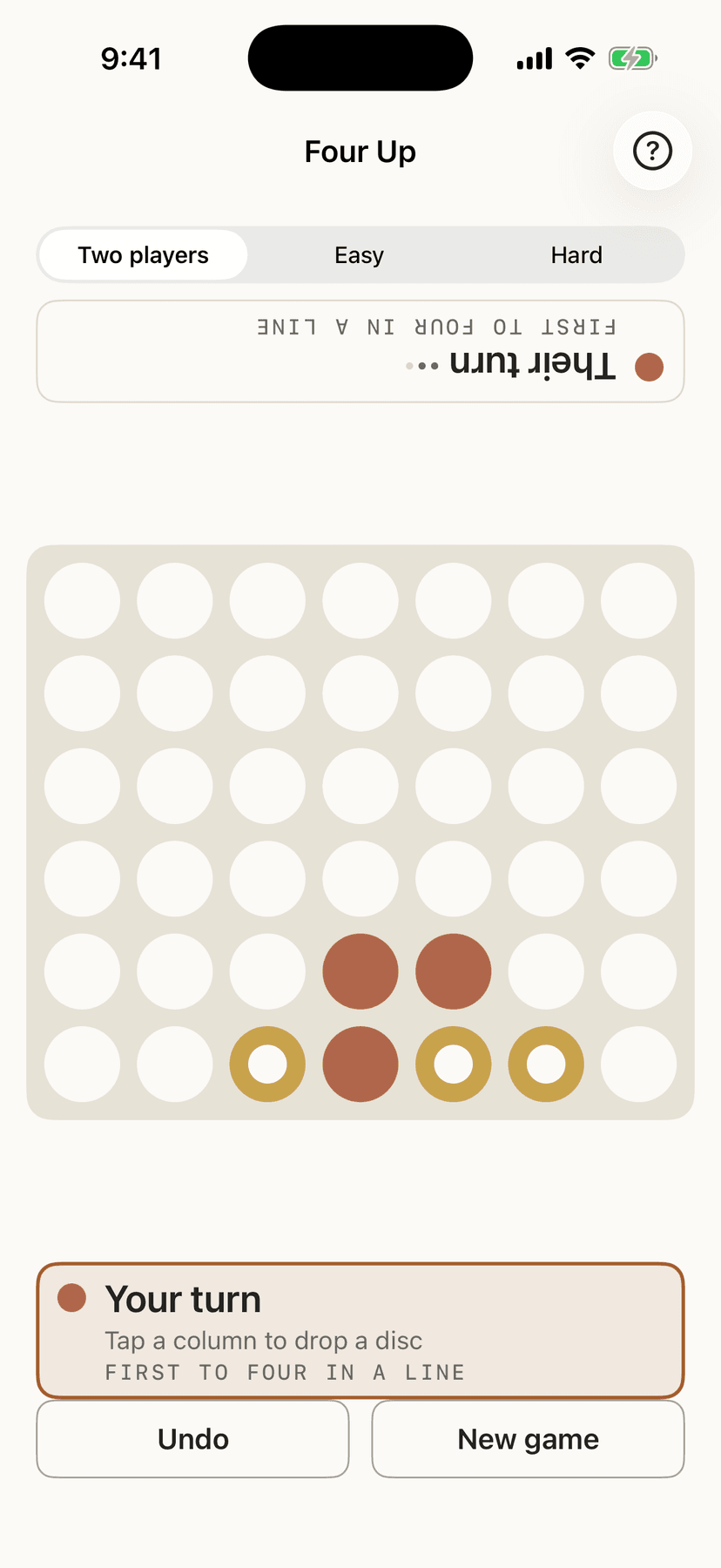
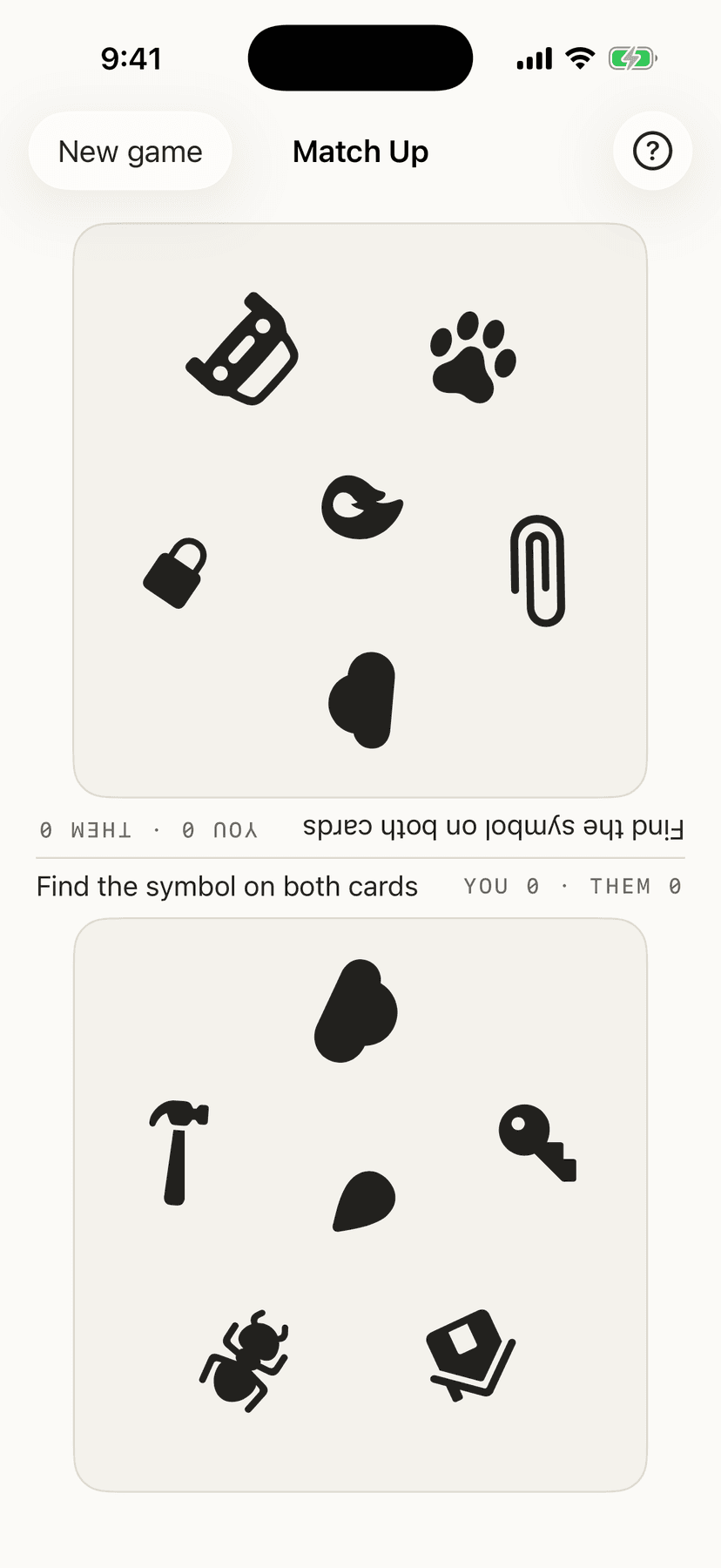
- Four Up, Dots and Boxes, Match Up, Low Twelve, Navigating the USA, Cross Off and Three Streets sit under their own heading, and are meant for one iPad flat on the table between you. The two sides are told apart by shape as well as color — a solid disc and a ring — because everywhere else in the app color separates things, and here it separates people. Four Up, Dots and Boxes, Low Twelve and Cross Off will play you when there is nobody else about, and Three Streets gives you a score to beat instead; Match Up and Navigating the USA need two people, and deliberately always will. Four Up, Dots and Boxes and Low Twelve can also be played with one person on each device. Low Twelve ends a match with a scoresheet: each round, who went out, who was doubled, and who won the round. A game between two people records only that it was played — no winner, no win rate — because the app has no idea which end of the iPad you were sitting at.
- Navigating the USA
- Navigating the USA: build a ten-day route across the states, passing the iPad between turns. It is the only game here where one player holds something the other must not see — your itinerary is your hand — so it hands over behind a curtain rather than lying flat with the others. Which states border which is the one table of real-world facts in the app, and every border drawn and every route checked comes from it.
- Fifty Plates
- Fifty Plates: spot a licence plate from a state, tap that state, and keep going until you have all fifty. It saves as you go, because a trip runs for days rather than minutes. The app cannot check whether you really saw Wyoming, and it does not try. The paper version is a list on the back of an envelope, and the honesty is between the people in the car.
- A scorecard behind every game
- A scorecard behind every game: streaks, best and average times, and a calendar of the days you played. Your games are stored on your device, and in your own private iCloud database if that device is signed in to iCloud — which reaches your other Apple devices and nowhere else. Signing in with Apple is optional, separate from that, and asks Apple for no name and no email; the app requests no scopes at all. There is no advertising, no analytics, no third-party code of any kind, and no Plain and Simple server. The two-device games (Four Up, Dots and Boxes, Low Twelve and Chess) talk directly to the other device on your local network, send only moves, and need no account — nothing goes to the internet or to us. The puzzles themselves never need a connection.