
Plain and Simple Health
The health data your phone already keeps, made easy to look at.
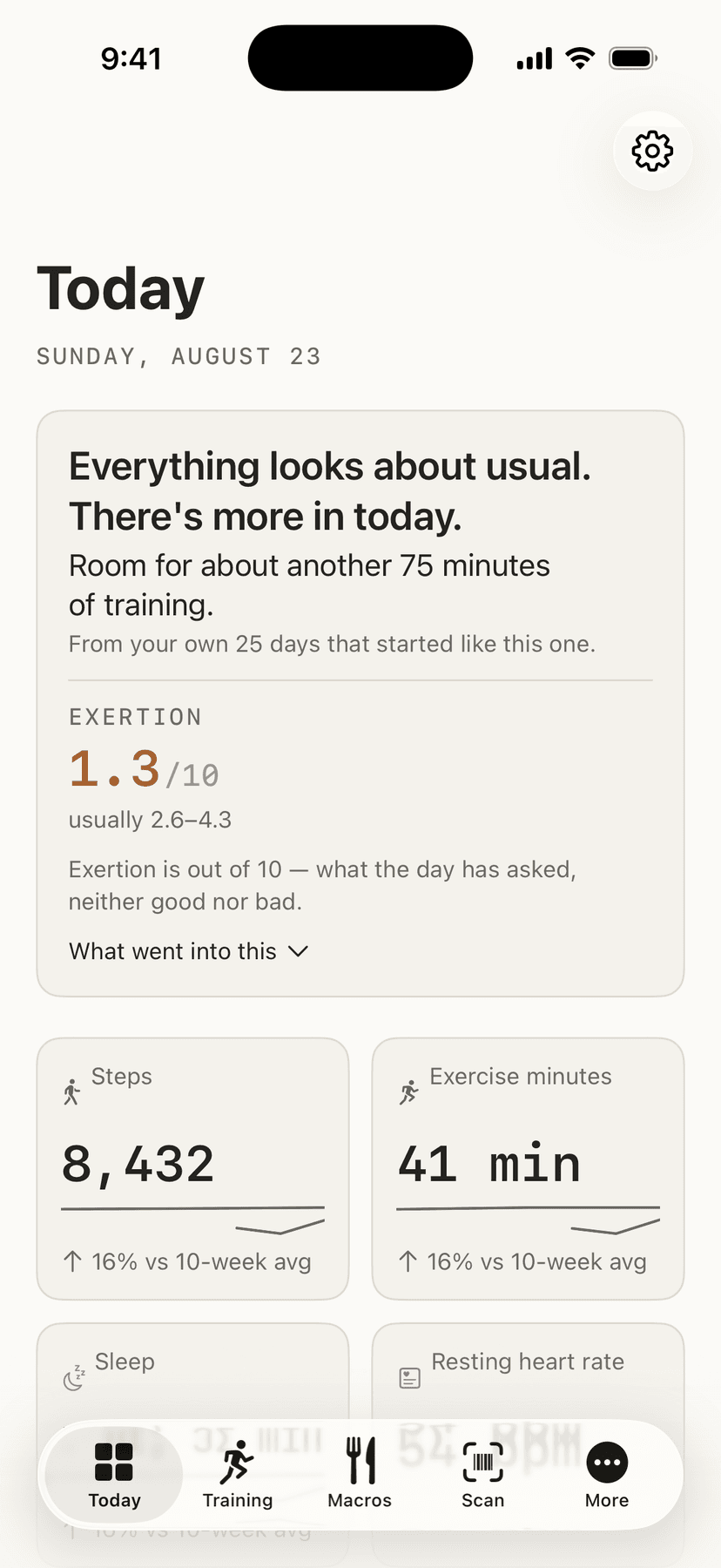
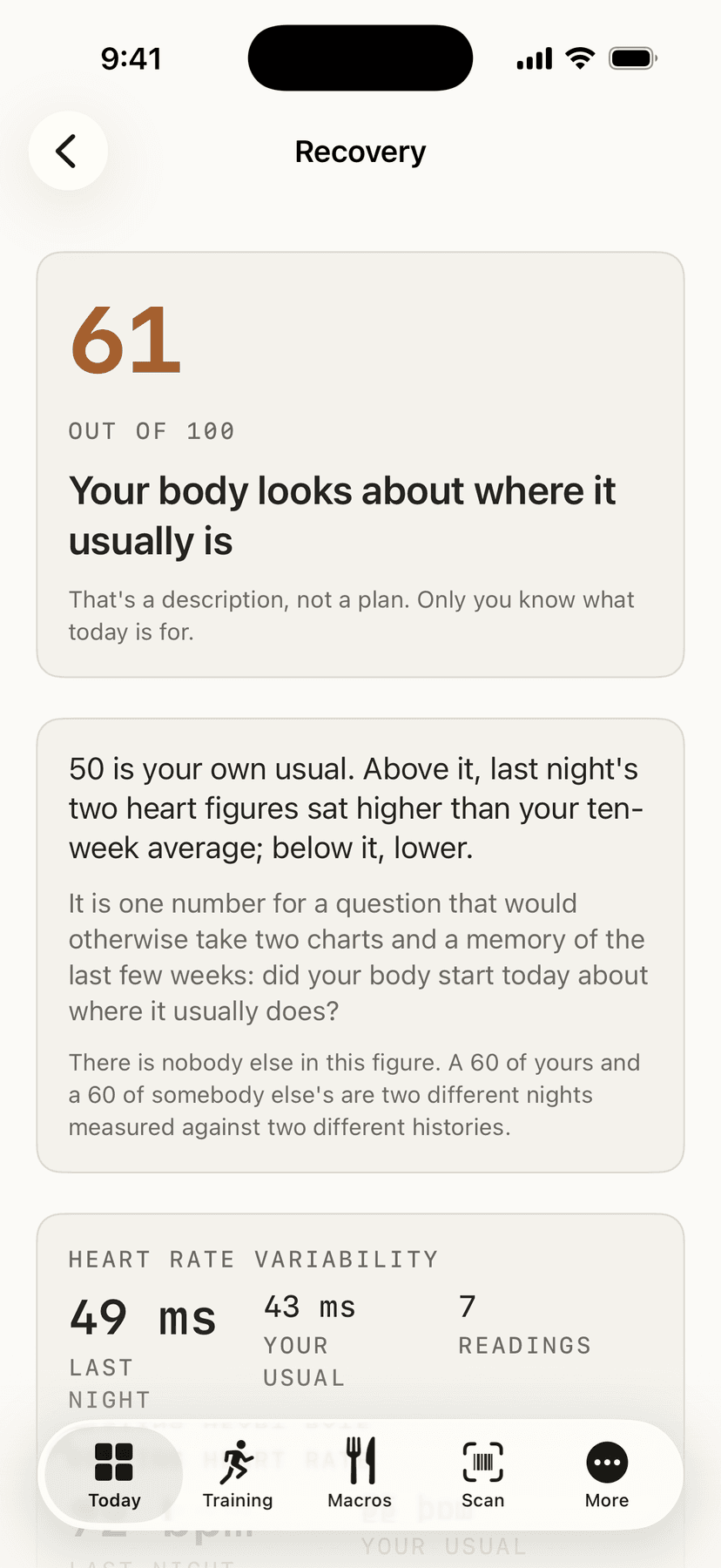
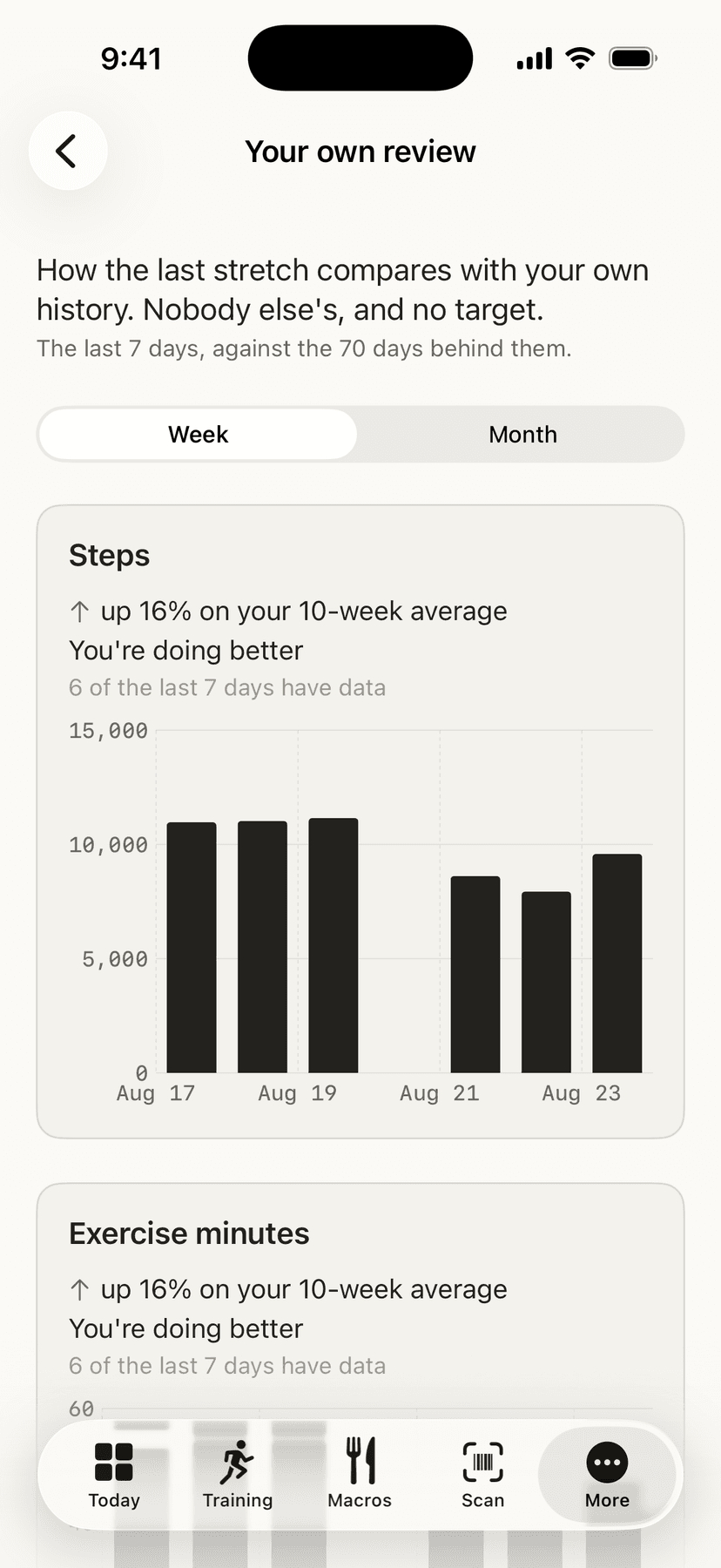
- The years of health data already on your phone, gathered onto one screen you can actually read.
- Figures for stress and exertion that show their working, with every day behind them — and no subscription to read your own numbers.
- A strength library and a training log that stay on your device. The app never sends anything anywhere.
Everything it does
Who this is for
For anyone whose iPhone has been quietly recording their health for years and who has never found it easy to look at. Apple keeps a great deal on your phone and then makes it awkward to read — Apple Support's own answer is that there is no Home Screen widget for Health data, and there is no step complication either.
A whole category of paid apps exists to sell those gaps back to you: widgets, trend lines, history beyond thirty days, and exporting your own numbers. None of it is expensive to build and all of it is data you already own, so it is free here.
It assumes there is already something recorded. If you have never worn a watch or carried the phone about, there is nothing yet for this to show — and it will say so plainly rather than draw an empty chart.
How to set it up
- 01Install it and open it. It asks to read your health data, and you choose how much to share. Every screen works with whatever you allow, and says when a figure is missing instead of showing a zero.
- 02Choose what the tab bar holds. Three of the five slots are yours; everything else lives under More.
- 03Put the widget on your Home Screen, if you want the numbers without opening anything.
- 04Type in what you eat, if you want that too.
- 05Log what you lift. Start the workout on your Apple Watch as usual; this records the exercises, sets and weights that Apple Health has nowhere to put.
- 06Say what you are training, what for, how long you have and what equipment you have to hand, and it fills in a list of movements you can change, save and run again — drawn first from what you have already logged. It knows how far each muscle has come back since you last worked it, and will not offer you one that has not, with the whole rule published on a page of its own.
- 07Or say how many days a week you train and let it fill in a whole week, with each day different from the last.
- 08Found a workout you like written down somewhere? Share the description to the app and it reads what it can, on your phone, and shows you everything it could not.
- 09Export whenever you like: CSV for a spreadsheet, or JSON Lines for a script.
What it does
- What Health already holds, on one screen
- It shows what Apple Health already holds — steps, sleep, exertion, workouts and the rest — on a Today screen that opens with a plain sentence about how you slept and what today has room for, a board you arrange yourself, and charts with sparklines rather than a wall of figures. The scores behind the sentence are a tap away, each with the arithmetic that produced it.
- It interprets, and shows its working
- It interprets rather than only reporting. Some metrics get a verdict, and a published national reference table gives one figure a population percentile. Each of those explains its method on a screen of its own, so you can disagree with it.
- A stress figure, honest about what it is
- There is a stress figure, and it is honest about what it is. It reads the heart rate variability your watch recorded while you were awake and places it against your own last ten weeks — the same measurement every stress score on every other watch is built from. It publishes the ranges that move it, and those ranges are your own spread rather than anybody's clinical threshold. It also says the thing those other apps do not: variability moves with a coffee, a hot room or a cold coming on, so it cannot see your day, and if it says one thing and you feel another you are right and it is a number.
- No hour-by-hour stress timeline
- There is no hour-by-hour stress timeline, because there honestly cannot be one. Watches that show you that read variability continuously; an iPhone and an Apple Watch record it a handful of times, mostly while you sleep. On an active day there may be no figure at all, and the app says so instead of drawing something.
- Every day behind the exertion figure
- Tap the exertion figure and you get every day behind it, at a fixed scale so a quiet couple of weeks looks like one. Days the watch did not record enough hours are gaps rather than zeros.
- Date of birth and sex, read and not stored
- It reads your date of birth and your biological sex from Health, because the percentile table is tabulated by both. It stores neither, and neither goes anywhere.
- It writes back exactly one thing
- It writes back exactly one thing: the food you type in. Nothing it calculates is ever written to Health.
- A strength library that remembers
- For strength training it holds a library of exercises with written form notes, remembers what you lifted last time, and — only if you ask it to — suggests the next weight from your own previous session. It will not tell you where you rank against anybody.
- It will fill in a routine if you ask
- It will fill in a routine if you ask for one. You say what you are training — or let it pick from whatever you have left longest — along with what you are training for, how long you have and what equipment you own, and it proposes movements you can swap, drop or ignore. Movements you have logged before come first. What you are training for decides the sets, where the reps sit inside each movement’s own range and how long the rests are, and every one of those figures is published on a page of its own.
- And a week, the same way
- It will fill in a week the same way: two to six days that fit together, built so no two days are the same list, and every day of it yours to change or delete.
- What today looks good for
- It says what the day looks good for, in a sentence, before it shows you the figures behind it — and how much longer you could train, worked out from the days of your own that started like this one and converted at the middle heart rate of your own recent workouts. There is no notification, nothing counts whether you did it, and the page that explains the arithmetic is one tap away.
- Share a workout and it reads it
- You can share a workout description into the app and it will read the movements, sets, reps and weights out of it. Everything it could not read is shown to you exactly as it arrived, and nothing is guessed at. It reads only the text you shared: the link is kept so you can find the original again, and the app never opens or fetches it.
- The training log stays on your device
- The training log is the one thing the app keeps for itself, because Health has no place to store a set and a rep. It stays on your device, is never put in iCloud, exports to a spreadsheet, and can be deleted in one tap.
- It never sends anything anywhere
- It never sends anything anywhere. There is no network code in the project at all, and a test fails the build if any appears — including in the part that receives what you share.